Enable ssh on OPNsense
After login go to
System > Administration > Secure Shell Server (check this box), for now you can Permit root login if needed but disable after setup is done
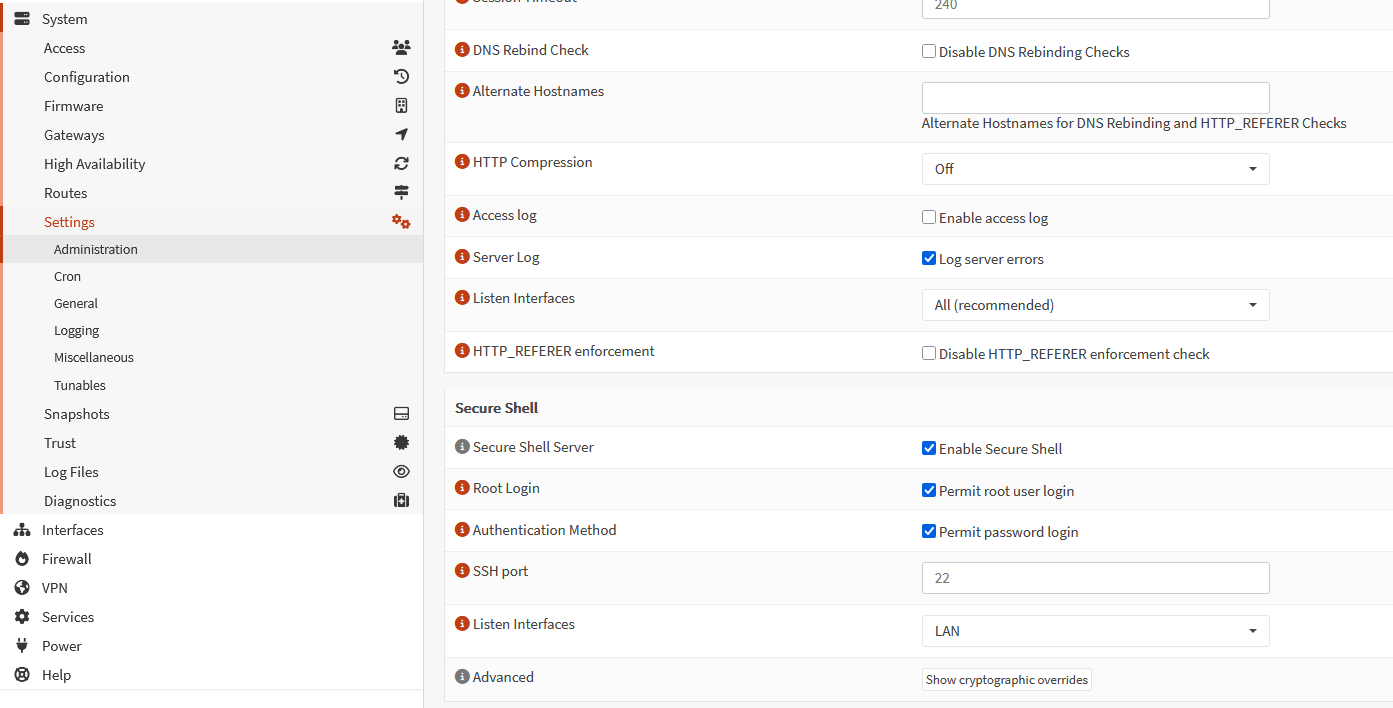
Now ssh to OPNsense
run this command
opnsense-code ports
Now run these commands, these will install tailscale binary files cd /usr/ports/security/tailscale make install
Start services and enable them when system starts using commands below
service tailscaled enableservice tailscaled start
Finally start service by using commandtailscale up
If you want to advertise your opnsense LAN network (which is likely the case), use format below and replace your subnet instead of 192.168.2.0/24 sudo tailscale up --accept-routes --advertise-routes=192.168.2.0/24
Or when you want to backhaul traffic to your OPNsense use something likesudo tailscale up --accept-routes --advertise-routes=192.168.2.0/24 --advertise-exit-node
!! Make sure you go to tailscale admin console https://login.tailscale.com/admin/machines and approve routes you are trying to advertise to your tail scale network.
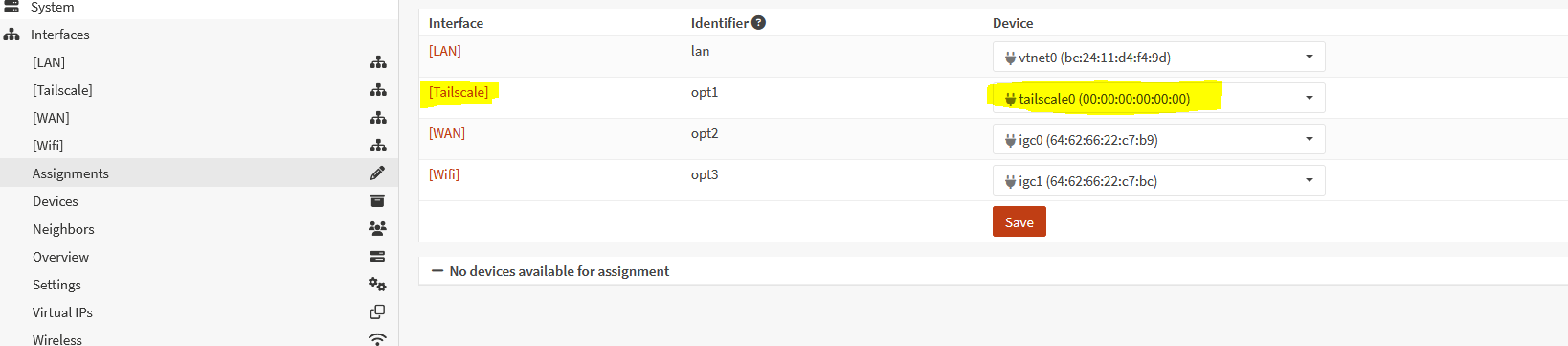
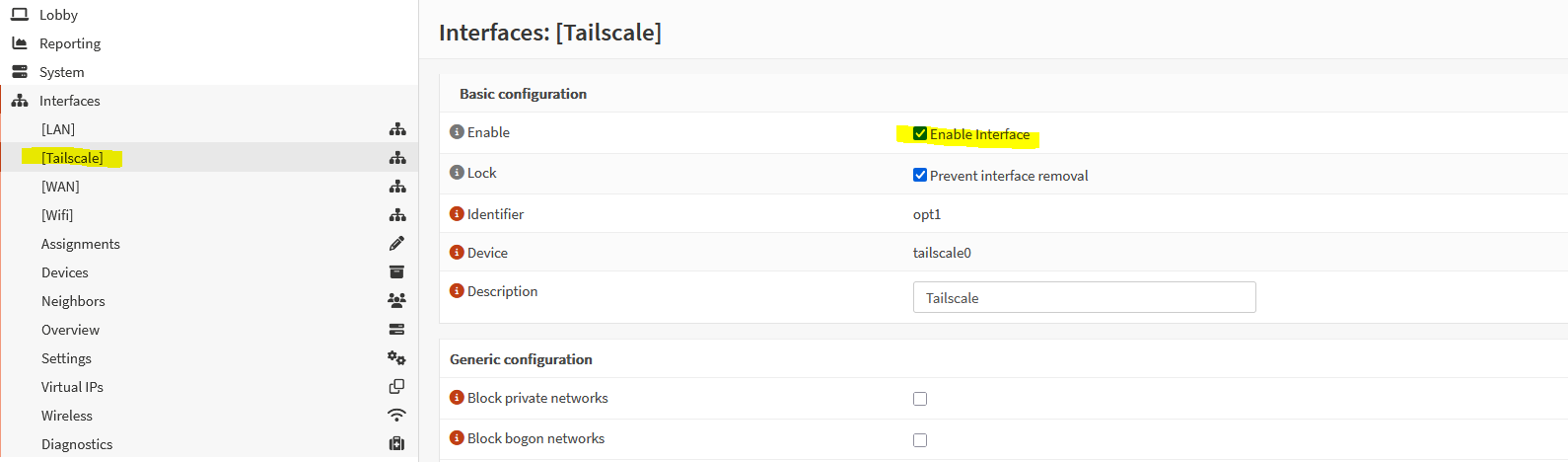
Now go to OPNsense Interfaces > Assignments Here just assign tail scale interface and enable it. (Check Attached screenshots)
Enable interface shown in this screenshot
At this point, other tailscale devices might reach your OPNsense LAN network but your OPNsense LAN (192.168.2.0/24) in our case, cannot ping any tailscale network devices.
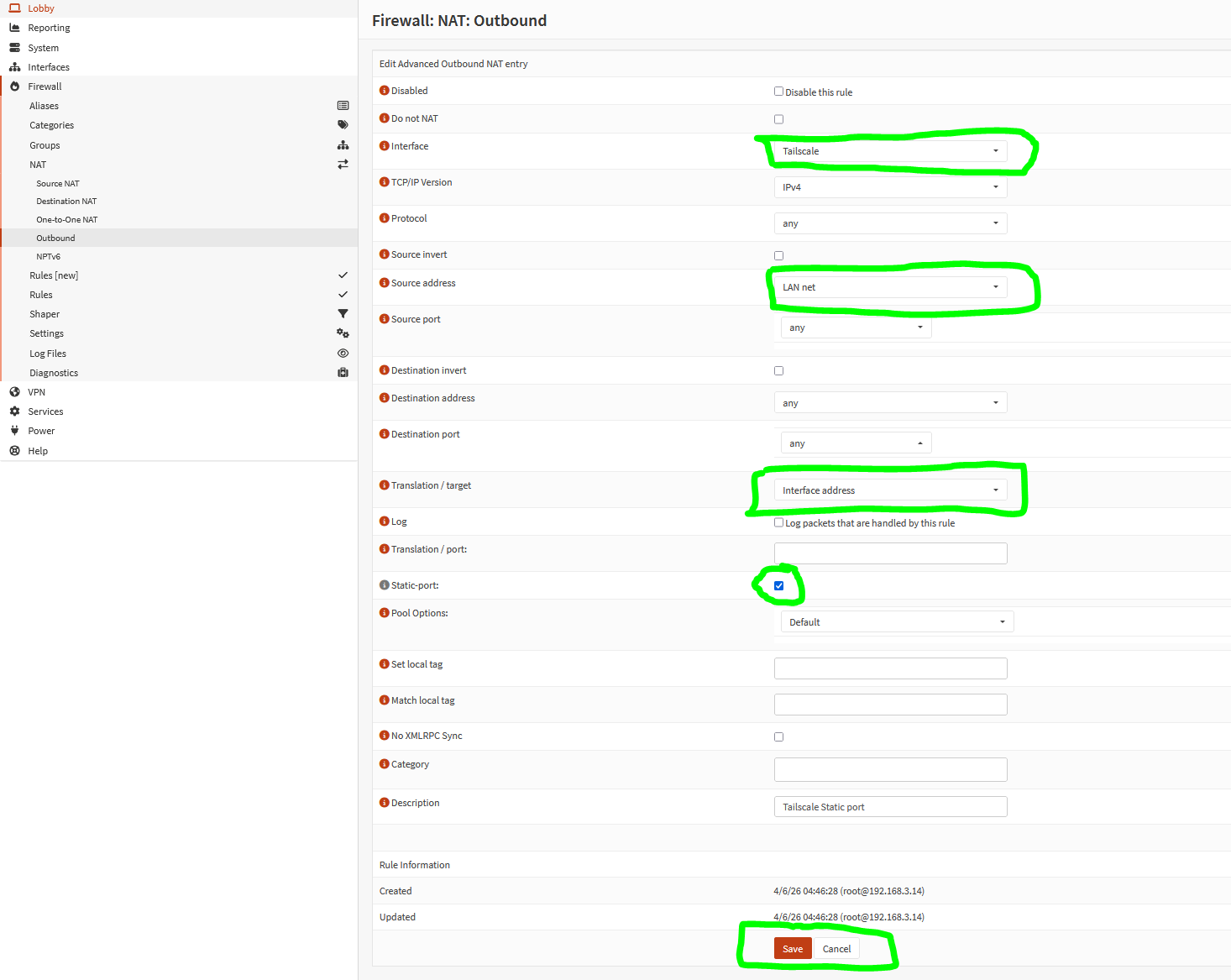
Go to Firewall > NAT > Outbound NAT. Choose Hybrid outbound NAT rule generation checkbox and click save. This will allow you to create custom outbound nat rules.
Check attached screenshot